
Is it stick drift, or is it you?
A guided test that measures what your controller is actually doing — both sticks, every button, both triggers — and tells you plainly whether the hardware is at fault.
Numbers, not a vibe check
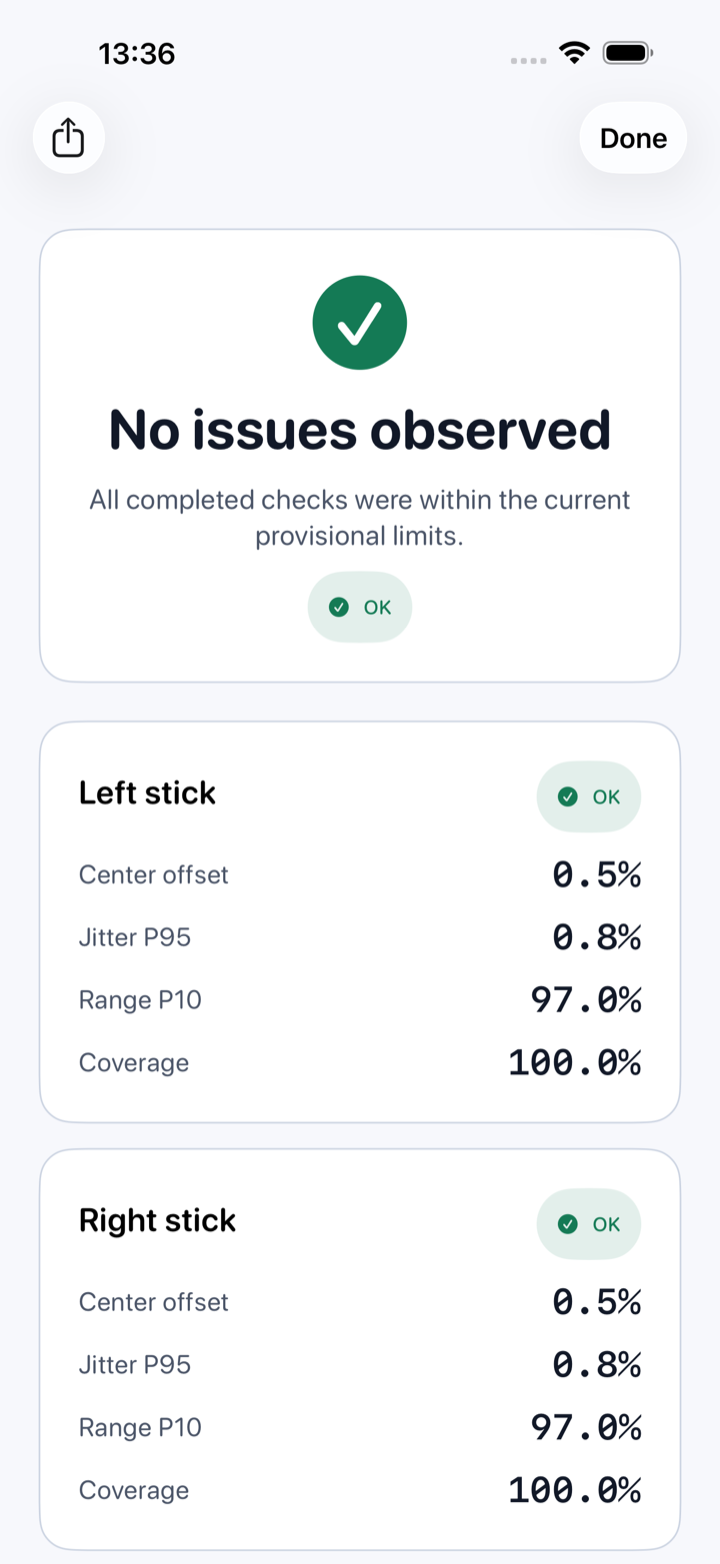
Every step records real values from Apple's GameController framework and compares them against provisional limits. The report shows the measurement, not just a verdict.
Stick centre
How far each stick sits from true centre when you let go, weighted by how long it rests there.
Center offsetJitter
How much a resting stick wanders on its own — the signature of drift as it starts.
Jitter P95Stick range
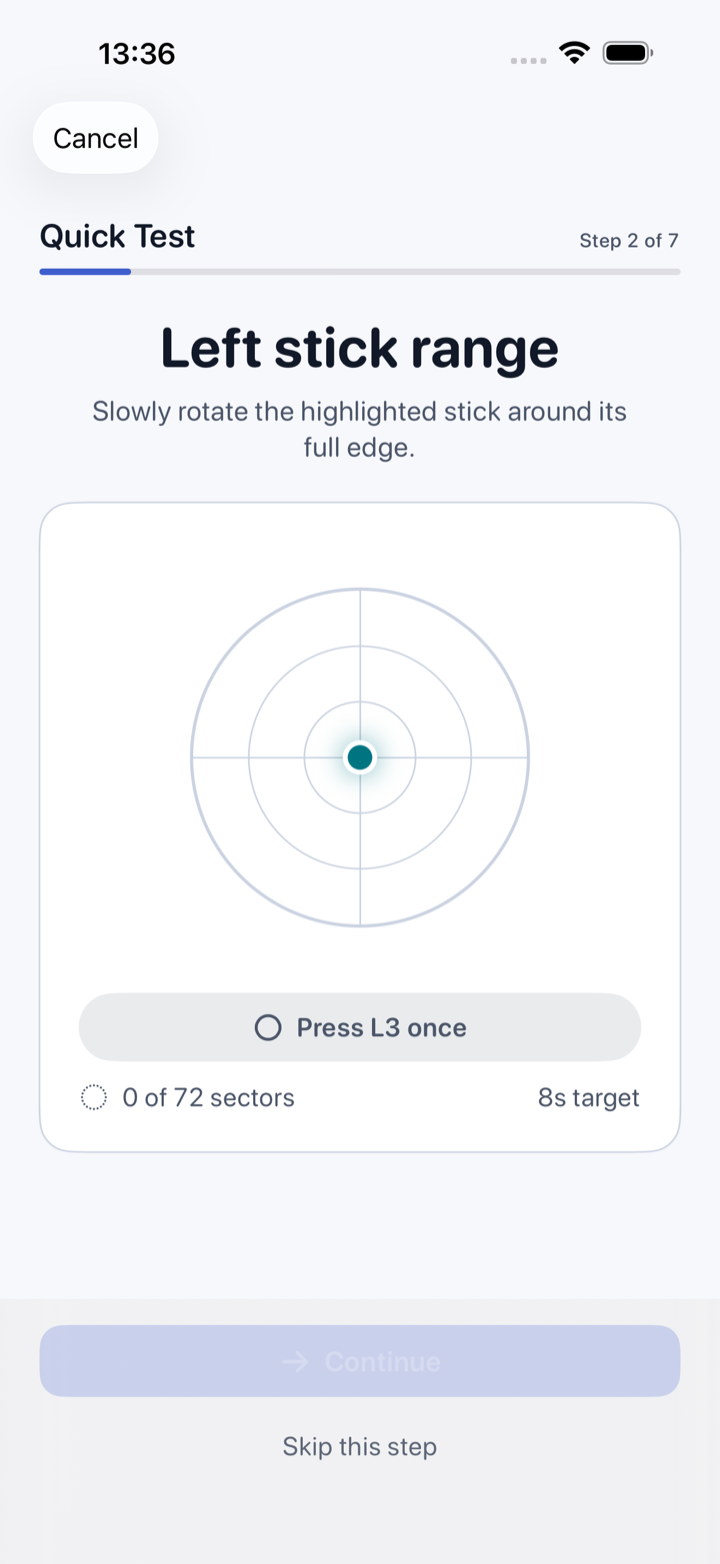
Reach measured across 72 sectors, so a flat spot on one edge cannot hide behind a good average.
Range P10 · CoverageShape
Whether the full sweep comes out round and even, or squashed on one axis.
Circularity · AsymmetryButtons
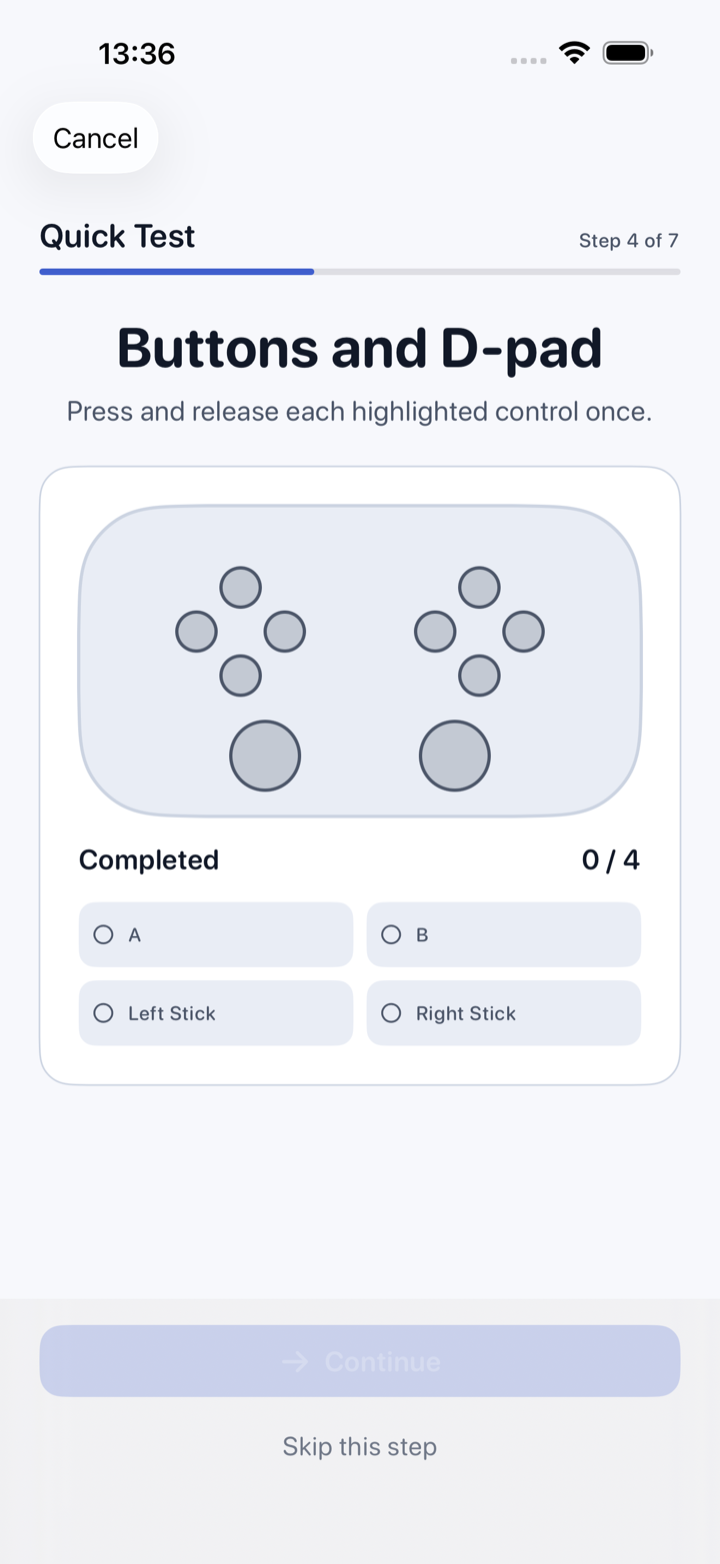
Every face, shoulder and d-pad button checked for a clean press and a clean release.
Press · ReleaseTriggers
Three full pulls per analog trigger, watching the travel from rest to bottom and back.
3-cycle travelThree steps, about a minute
Connect
Pair your controller in iOS settings. The app detects what it supports and skips the checks it cannot run.
Follow the prompts
Rest the sticks, sweep them, press the buttons, pull the triggers. On-screen guidance the whole way, with a Stop always visible.
Read the report
A component-by-component result with the measured values. Share it as text if you need to send it to a seller or support.
Nothing leaves your device
The test runs entirely on your iPhone or iPad. Controller input is processed locally and is never uploaded.
Results are provisional limits, not a manufacturer specification. Gamepad Doctor tells you what it measured and how that compares — it is a second opinion before you open a support ticket, not a warranty judgement.